How to Get Backlinks Indexed in 2026 (Safe Methods)
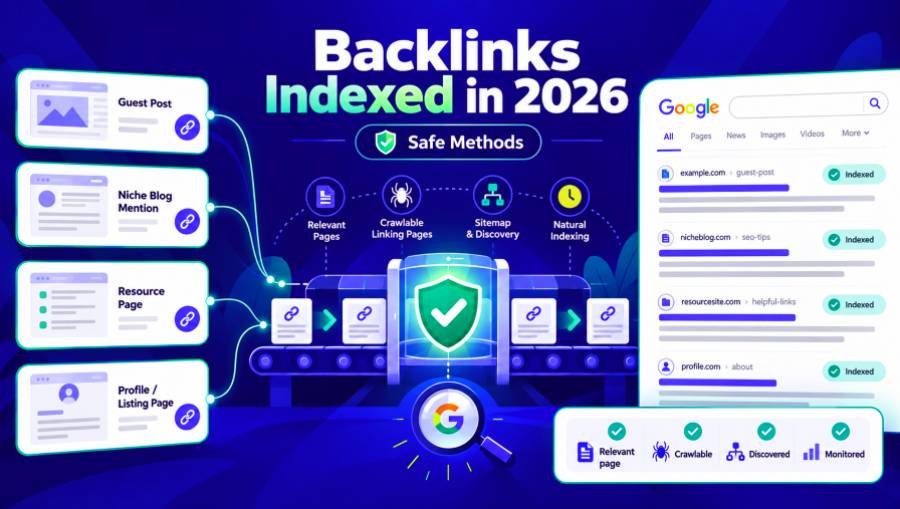
To help Google index your backlinks, make sure the pages with your links can be found, crawled, and indexed. If you manage the linking site, fix any technical problems yourself. If the link is on another site, ask the publisher to verify issues. If the page is already indexed, check if Google has processed the link yet.
You can't make Google index a backlink. Using Search Console, adding internal links, or paying for indexing services won't guarantee that Google will index a page or decide how valuable your link is.
Quick answer:
Check the referring page first. An unindexed page, an outdated indexed page, and a backlink missing from Search Console all require a different approach.
Fix the real problem. Look for crawl restrictions, accidental noindex instructions, canonical issues, rendering problems, or poor discovery paths.
Be cautious with indexing shortcuts. Just because a service gets Googlebot to visit a page doesn't mean the page will be indexed, the link will be processed, or you'll see any ranking boost.
The steps below detail how to diagnose these scenarios and what you should do next.
What does it mean for a backlink to be indexed?
A backlink is simply a link from one website to another. When people say they want to 'index' a backlink, they usually mean they want Google to find and process the page where the link appears.
This difference matters because Google doesn't have a public database showing the index status of every backlink it finds.
A page can pass through several stages:
Discovery → Crawling → Rendering → Indexing → Link processing
Google may discover a referring URL through links or a sitemap, then crawl its content. JavaScript-dependent pages may require rendering. Google then decides whether to include the page in its index and processes information such as links and anchor text.
Just because a page passes one stage doesn't mean it will move on to the next.
For example, a guest post can show up in Google Search even though the backlink isn't present in your Search Console Links report. That doesn't mean the link was ignored.
According to Google’s Links report documentation, the report shows a sample, not a complete inventory. Google also combines duplicate links and groups URLs by their canonical versions. Some sources, including non-indexed pages, may not appear in the report.
This gives us three separate questions:
Has Google indexed the referring page?
Has Google come across the version of the page that contains the backlink?
Is the backlink visible in a reporting tool?
Don't treat the answer to one question as proof for the others. If you're not sure how indexing works, check out our guide on how Google indexing works for a step-by-step explanation.
How to Check Whether Your Backlink Is Indexed
Start with the exact URL that contains the backlink (i.e., don't just use the publisher's homepage or domain).
1. Confirm That the Backlink Exists and Works
Open the referring page and locate the link that points to your site.
Make sure the link points to the right URL and that the URL actually works. Watch out for redirects to the wrong place, broken links, or pages that have been removed.
Next, have a look at the HTML of the link.
Google's link best practices state that you should use an HTML anchor element with an href attribute.
For example:
<a href="https://example.com/seo-guide">
Technical SEO guide
</a>
This is a standard crawlable link.
But if a button or text opens a URL using JavaScript, Google might not be able to find and extract that link reliably.
In Chrome, right-click the backlink and select Inspect to look at the rendered element. You can also use View Page Source to see whether the link is included in the original HTML response.
If a link isn't in the source code, it doesn't mean Google can't see it. Google can handle links created by JavaScript as long as they're rendered properly.
However if the link only appears after a user clicks on a tab or scrolls to reveal the content then However, if the link only shows up after someone clicks a tab or scrolls down, the publisher should make sure Google can access it.e the one that you can use given that you have access to the referring site's Search Console property.
If you manage the website:
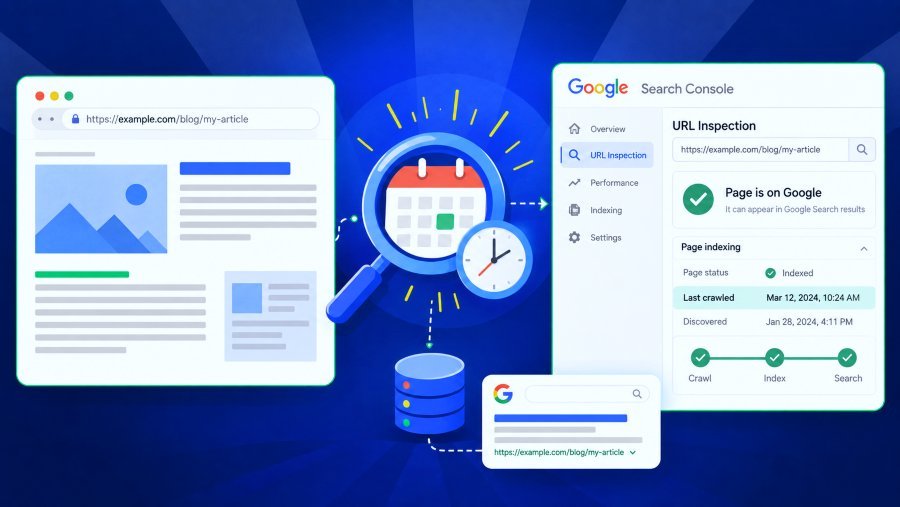
Open Google Search Console, select the correct property, and enter the referring URL into the URL Inspection box.
Review the indexing verdict and associated data (last crawl, page fetch, indexing permission, and Google-selected canonical).
If the report says the URL is indexed, that means Google has indexed the page or a version of it. However, this doesn't confirm that a new backlink you added has been handled yet.
If the referring page belongs to another publisher:
Try a Google search using the site: operator.
For example:
site:https://publisher.example/blog/guest-post
If Google returns the relevant page, then that's useful evidence that it can serve the URL in the search results.
If nothing shows up, the result is inconclusive. Google's own documentation says the site: operator doesn't show every possible result.
A failed site: search cannot establish that the referring page is definitely unindexed.
For a more detailed explanation of these verification strategies, see how to check if Google indexes a page.
3. Check Whether an Existing Page Has Been Updated
This is especially important when it comes to link insertions (sometimes referred to as niche edits).
Imagine a publisher released an article six months ago. Google would have indexed that article, but your backlink only got added yesterday.
The URL might still appear in Google Search because the older version was indexed. This doesn't mean Google has seen the recent edit yet.
If you're the one managing the referring property, then have a look at its last crawl data in URL Inspection. Compare the crawl date that's recorded against the date that the backlink was added.
If the last crawl happened before your change, it can't confirm that Google saw the new link. A live test only shows the current version of the page, not whether Google has already indexed it.
For third-party pages, you may try searching for a unique phrase tacked onto the backlink. Finding that phrase would be an additional clue. Not finding it tells you very little, as Google's search operators and the results they return are inherently limited.
The more reliable evidence we have (when it's available) is from the publisher's own Search Console records and their verified Googlebot crawl logs.
4. Do Not Treat Search Console’s Links Report as a Complete Index
Open your website's Search Console property and go to Links → External links.
You can see which sites and pages Google reports as linking to you. This helps you understand your backlink profile, but it's not a complete or real-time list of every link Google has found.
If a backlink shows up in Ahrefs, Semrush, or other SEO tools, it just means that tool found it. Each tool uses its own crawling and data systems.
Likewise, if a link is missing from those tools, it doesn't mean Google hasn't seen it.
The most effective method is to check the referring page for issues instead of repeatedly resubmitting just because the backlink report hasn't updated.
Why Google Might Not Index a Page Containing Your Backlink
A page can look fine in your browser but still not be indexed by Google.
Start by checking for obvious technical issues.
Possible issue | What to examine | Appropriate response |
Poor discovery | Internal links and sitemap inclusion | Improve relevant discovery paths |
Crawling blocked | robots.txt, access restrictions | Ask the publisher to correct unintended restrictions |
Indexing blocked | Robots meta tag or X-Robots-Tag | Remove accidental noindex directives |
Server problems | HTTP errors, timeouts, bot blocking | Resolve access or server configuration |
Canonical conflict | Declared and Google-selected canonical | Investigate the preferred URL |
Page crawled but not indexed | Content, duplication, rendering, site patterns | Diagnose why Google may not select the page |
Crawling Restrictions and Accidental Noindex Tags
A robots.txt file usually controls which URLs crawlers can access, but it doesn't guarantee that a specific URL won't end up in Google's index.
A noindex directive is different because it tells Google not to index the page, as long as Google can access and read the instruction.
For example, the page may contain:
<meta name="robots" content="noindex">
An equivalent restriction can also appear in an HTTP response header:
X-Robots-Tag: noindex
Google’s noindex documentation explains an important limitation: if robots.txt prevents Googlebot from crawling a page, Google may never retrieve the noindex instruction.
For a guest post that should be indexed, get the publisher to check both crawler access and indexing directives rather than just changing one setting.
Canonicalization and Duplicate Pages
A publisher could publish the same article under several different URLs or could set up a canonical URL to point to another.
Google can pick another URL to represent the substantially duplicate content. The referring URL may therefore not end up with its own individual indexed entry.
A canonical tag in HTML is just a suggestion to Google, not a command.
If you manage the page, compare the user-declared canonical with the one Google selected in Search Console. If someone else owns the site, then you'll need to get the publisher to look into the relationship.
You don't always need every canonical tag to point to itself. Sometimes it's better to consolidate real duplicates.
Pages That Google Crawls but Does Not Index
Even if a page is technically accessible, Google still might not index it.
Google's crawling troubleshooting documentation makes it clear that a page may not appear in search results if it offers insufficient value. Pages like repetitive directories or thin guest posts are less likely to show up as search results. Still, if a page isn't indexed, it doesn't always mean Google thought it was low quality.was rejected for low quality.
Check the content for duplication, review technical settings, and consider the overall website before concluding.
Rendering can also cause problems. Google Search doesn't click or scroll to reveal content, so if a backlink only appears after such actions, Google might not see it.
For further reasons and diagnostics, see why Google isn't indexing a page.
How to Get Backlinks Discovered and Recrawled Safely
Once you've identified the issue, the next step depends on who owns the page.
If You Own or Manage the Referring Website
Make sure the page is accessible and valuable before requesting another crawl.
Start by removing accidental indexing restrictions, fixing any relevant server errors, and checking that Google can render the page and extract the backlink.
Ensure the page can be reached through internal links. A guest post linked from a relevant category or related article is easier for Google to find than a page with no links to it. Add the correct canonical URLs to your site's XML sitemap. Sitemaps help Google find your pages, but they don't guarantee indexing.
For an important URL that you manage, use:
Google Search Console → URL Inspection → Request Indexing
Google requires suitable access to the Search Console property for this action.
Google's official advice says that asking for a recrawl over and over for the same unchanged URL won't make Google crawl it any sooner.
If you have many pages, using accurate XML sitemaps is usually better for discovery than making lots of individual requests.
If the Backlink Is on Someone Else’s Website
You can't submit another publisher's ordinary page via your own Search Console property.
This means you really need the publisher's cooperation.
First, identify the actual problem. Don't just send an editor a screenshot showing your backlink is missing from an SEO tool. Identify a specific problem: an accidental index directive, a broken article URL, an incorrect canonical, or a link that doesn't exist in the rendered page.
A concise message might read:
Subject: Indexing inspection of our published article
Hi,
I had a look at our published placement at [article URL] and spotted what appears to be an indexing issue [specific observation].
Could your team check the URL in the Google Search Console property and confirm whether there's any technical restriction we should be aware of?
If it's for indexing purposes, it may also be worth making sure it's linked out from a relevant page on your site.
Thank you.
The publisher should decide if the page needs changes. Adding unrelated links or constantly changing content to trick Googlebot won't work as well as creating a real discovery path.
If the publisher can't fix the issue, consider if the placement is relevant, who the audience is, what referral traffic it brings, and its editorial value before moving forward.
How long does Google take to index/process backlinks?
There's no guaranteed timeline—like seven, fourteen, or thirty days—for backlink indexing.
However, Google has just given us more detail on how long the various processing stages take.
At Search Central Live Deep In-depth Dive Barcelona on 2nd October 2026, Google's Gary Illyes gave some internal timing figures. John Campbell of ROAST recorded the figures, and Barry Schwartz reported them in Search Engine Land on 5th October 2026.
Google process | Reported typical time |
Discovering a new URL | Around 20 hours |
Refreshing a known URL | Around 30 days |
Indexing processing | Around 1.5 hours |
Processing link annotations | Minutes to 1–3 weeks |
These numbers from Google's presentation are just estimates, not promises for any particular guest post or backlink. Some URLs may take much longer or never reach a certain stage.
The difference between new URL discovery and known URL refresh is particularly useful.
A new guest post needs to be found and processed. A backlink dropped into an older indexed article may well be dependent on Google doing a next recrawl of that already indexed page.
This goes some way to explaining why a link insertion might be missing from the report even though the article itself is indexed.
Independent observations also show just how variable crawling behavior is.
In a study published 7th October 2026, John Campbell reported that ROAST checked 178 URLs per day over 30 days and found an average crawl lag of 39.2 days.
Crawl lag is the time since Google's last visit (not the time between visits). It's a single-site study, so the results cannot be used to predict how often Google will crawl your publisher's article.
These numbers help set expectations, but you shouldn't add them up to predict an exact indexing date.
Do backlink indexer tools actually work?
Some indexing services can show real results, but you need to be careful about how you interpret them.
The first question isn't just 'does the service claim an indexing success rate?' It's what the service actually measured.
A provider might say Googlebot visited the submitted URLs, which means the pages got crawled. It doesn't prove that Google actually indexed them.
A service might report that URLs appeared in Google after submission. However, this doesn't prove the pages stayed indexed, that the backlinks were processed, or that rankings improved.
These are different results, and understanding the difference is important when considering paid indexing services.
What Published Indexer Experiments Actually Show
In a SearchLogistics experiment updated 13th March 2025, Matthew Woodward reported testing 14 indexing methods.
The researchers produced 200 pages of automatically generated lorem ipsum across 15 new domains. They then examined whether different services led to Googlebot visits and page indexing. According to the published results, three of the services tested achieved some indexed URLs; the rest did not under the test conditions.
That's interesting, but the evidence has some big limitations.
The experiment used very low-value pages on new domains rather than actual editorial content with an audience. It can't in any way establish how those services perform on a typical guest post in October 2026.
The reported testing also fails to show that the pages remained indexed for months or that any of the backlinks actually resulted in any ranking benefit.
An indexer touting a high success rate should be able to answer the following questions: How was the indexing confirmed? For how long were the URLs being monitored? What types of pages were actually being tested? Were the results compared to a control group which was not indexed at all?
No percentage advertised. Any advertised percentage is meaningless without the details behind it.API for backlinks?
Not for standard backlink pages under Google's documented eligibility guidelines.
Google's official Indexing API documentation restricts supported use to pages containing qualifying JobPosting structured data or livestream BroadcastEvent markup within a VideoObject.
A standard guest post, directory profile or niA regular guest post, directory profile, or niche edit doesn't qualify for the API just because a third-party service offers bulk submissions. Search Console URL Inspection tool. An API request is not a guaranteed indexing signal, and unsupported submission techniques should not be presented as an official Google backlink indexing solution.
Are pinging and automated indexing methods safe?
A ping can notify a system about a URL, but it doesn't prove that Google has indexed the page.
Claims about social traffic, automated visits, or secondary link networks should be viewed with caution. Just getting Google to find a URL this way doesn't guarantee indexing or ranking benefits.
The risk goes up if a service is making links to manipulate search rankings.
Google's spam policies list manipulative link building, automated link schemes, and buying links to improve your ranking as examples of link spam.
Google also draws the line between legitimate advertising and sponsorship and attempts to game the system by passing on ranking credit via paid links. Appropriate use of rel="sponsored" and rel="nofollow" will be sufficient to qualify a paid link in accordance with its guidelines.
A paid indexing tool is not in itself a sUsing a paid indexing tool isn't automatically spam. What matters is how the tool works. torial backlinks the sensible thing to do is to go and fix the indexing/discovery issues at the referring page rather than buy a service on the basis that it will get you results faster.
How to Monitor Your Backlinks and Choose the Next Action
If you have a small backlink campaign, checking each URL individually might be enough. But agencies managing lots of guest posts or mentions will need a more organized system.
Begin with a basic record comprising the referring URL, target URL, placement type, publication/insertion date, most recent observed page status, evidence source, and next action.
Consider two hypothetical placements.
Placement A: A new guest post is live; the backlink is in the HTML, but a public search doesn't show the article. This doesn't automatically mean it's unindexed. Record this and investigate further if you find more evidence. It was indexed as an article three days ago. The publisher's most recent recorded Googlebot crawl is before the insertion. The sensible thing to do is to just watch for a new crawl rather than immediately assume that the publisher has sold an ineffective link.
For larger campaigns, it's easier to manage your workflow by grouping URLs by their status. Separate suspected technical issues, recent placements, confirmed indexed pages, and those with unclear evidence.
A bulk Google index checker: You can use a bulk Google index checker to screen many referring URLs at once, instead of searching each page individually. Still, treat these results like any other—they don't prove Google has indexed every backlink on those pages. In line with the evidence.
Fix any technical problems you can control. Ask the publisher to check problems you can't fix yourself. Keep an eye on recent changes, but don't set arbitrary deadlines. Avoid paying for indexing services that don't deliver the results you really need.