How to Submit a URL for Indexing to Google (The Right Way)
Ethan Parker

Submitting a page to Google is easy. Getting Google to actually index it is a different matter.
For one important URL, the normal starting point is:
Google Search Console → URL Inspection → Request Indexing
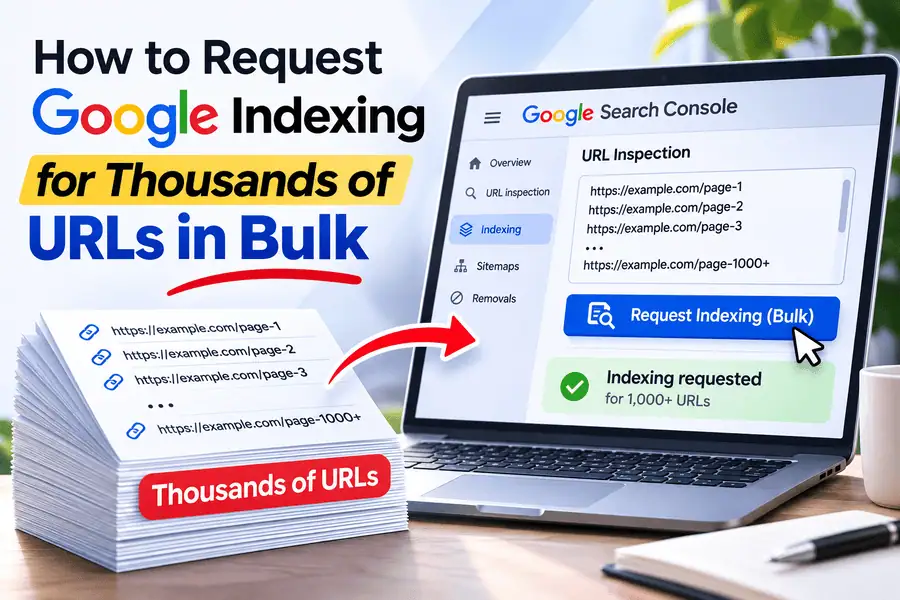
If you are dealing with hundreds or thousands of pages, submitting URLs manually one at a time quickly becomes impractical. In that situation, XML sitemaps remain important for discovery, while a bulk workflow such as BulkIndexCheckr’s Bulk Index Request can help you manage indexing requests for larger sets of URLs from one place.
Whatever method you use, remember one important limitation:
Submitting a URL does not guarantee indexing.
You are telling Google that a page is available and should be reconsidered. Google still decides whether to crawl it, how to process it, which canonical URL to use, and whether the page deserves a place in its index.
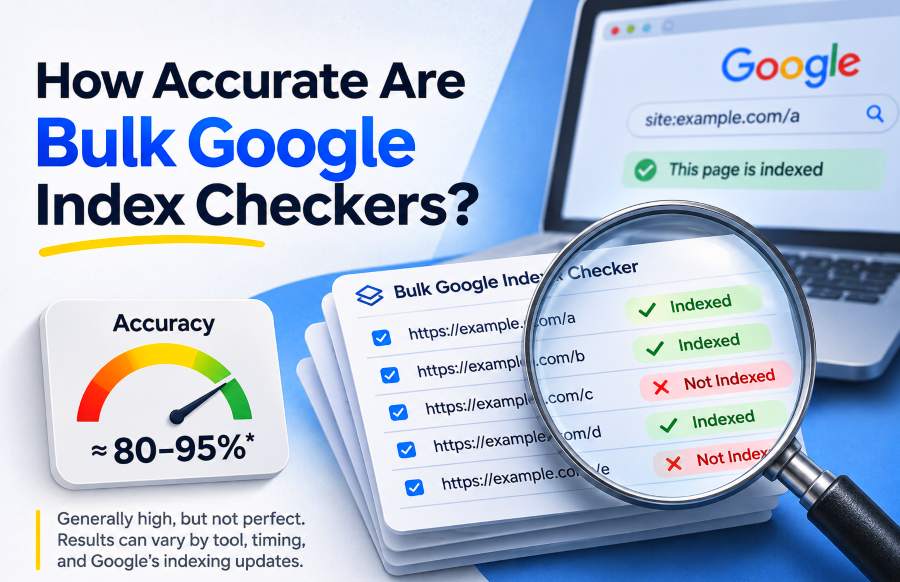
If you have not checked the URL yet, start with How to Check if a Page Is Indexed by Google before submitting it again.
How Do You Submit One URL to Google?
For an individual page, Google Search Console’s URL Inspection tool is usually the simplest approach.
You need access to a Search Console property that contains the URL.
1. Open Google Search Console
Sign in to Google Search Console and choose the correct website property.
Suppose you want Google to index:
https://example.com/blog/new-article
Make sure you are inspecting that exact website and URL version.
This matters particularly with URL-prefix properties because:
http://example.com
https://example.com
https://www.example.com
can represent different property configurations.
2. Inspect the Exact URL
Paste the complete URL into the inspection field at the top of Search Console.
For example:
https://example.com/products/blue-running-shoes
Always inspect the final URL you actually want Google to index.
Avoid submitting:
Tracking URLs
Redirecting URLs
Old HTTP versions
Duplicate URLs
Noncanonical parameter variations
Search Console will then show Google's information about that page.
3. Check the Page Before Requesting Indexing
Do not immediately click Request Indexing.
First check whether there is a problem that would make another submission pointless.
Pay particular attention to:
Crawl allowed
Page fetch
Indexing allowed
User-declared canonical
Google-selected canonical
For example, if the page still contains:
<meta name="robots" content="noindex">
requesting indexing will not solve anything.
The same is true if the page returns a 404, Googlebot cannot fetch it, or Google has chosen another URL as canonical.
Fix the underlying issue first.
4. Click Request Indexing
If the page looks technically healthy, click:
Request Indexing
Google performs an initial check before accepting the request.
Once accepted, the page becomes eligible for another crawl or reconsideration.
That is where your manual submission work ends.
There is no need to keep submitting the same unchanged URL every few hours.
What Does Request Indexing Actually Do?
The name can make the feature sound like an approval button.
It is not.
A better interpretation is:
“Please revisit this URL and reconsider the current version.”
After receiving the request, Google may crawl the URL again and process signals such as:
Page content
Robots directives
Canonicalization
Duplicate content
Rendering
HTTP responses
Internal signals
Other indexing factors
The final result may be:
Indexed
or the page may remain:
Not indexed
So when Search Console says your indexing request was accepted, it means:
Google received the request.
It does not mean:
Google approved the URL for its index.
This distinction is important because repeatedly submitting an unchanged page rarely fixes a real indexing problem.
Should You Test the Live URL Before Requesting Indexing?
If you recently fixed an indexing problem, yes.
The normal URL Inspection result and Test Live URL show different information.
The regular report reflects what Google already knows from a previous crawl.
The Live Test checks the page as Google can access it now.
Imagine Google previously saw:
Indexing allowed: No
You discover an accidental noindex tag and remove it.
Search Console may continue showing the older state until Google crawls the page again.
Run:
Test Live URL
If the current version now appears accessible and indexable, you have much stronger evidence that the fix is ready to be processed.
The better sequence is:
Fix → Live Test → Request Indexing
A successful Live Test still does not guarantee indexing, but it helps confirm that the problem you fixed is no longer present in the live page.
When Should You Request Indexing?
Manual indexing requests are most useful when something important has changed.
You Published an Important New Page
Suppose you launch a new:
Landing page
Product category
Research article
Service page
Important resource
Campaign page
Google may eventually discover the URL through your internal links or XML sitemap.
However, if the page is particularly important, using Request Indexing can be a reasonable additional step.
Manual submission should support your normal site architecture—not replace it.
The URL should still have internal links and, where appropriate, appear in your sitemap.
You Fixed a Technical Indexing Problem
Requesting another crawl makes sense after fixing issues such as:
noindexIncorrect canonical tags
robots.txt restrictions
Server problems
Redirect problems
Rendering failures
After fixing the problem, run a Live Test and confirm that Google can now access the correct version.
Then submit the page.
You Significantly Updated the Content
A major content improvement can also justify requesting another crawl.
Imagine an outdated 800-word article has been rebuilt into a current, comprehensive guide with new data, examples, sections, and expert information.
Google should eventually discover the update naturally.
For an important page, however, requesting another indexing attempt can help signal that the URL has materially changed.
Minor punctuation corrections and tiny wording changes generally do not justify repeated manual requests.
You Fixed a Canonical Problem
If Google was selecting the wrong canonical and you corrected the underlying signals, requesting another crawl can help start the re-evaluation process.
That might involve fixing:
Incorrect
rel="canonical"Conflicting sitemap URLs
Duplicate pages
Redirect inconsistencies
Internal links pointing to the wrong version
Google still needs time to process those changes.
Requesting indexing does not make canonical re-evaluation instantaneous.
When Should You Not Request Indexing?
Not every URL belongs in Google's index.
Before submitting an unindexed URL, ask:
Should this page actually appear independently in Search?
URLs that may correctly remain unindexed include:
Redirected pages
Duplicate pages
Alternate canonicals
Filter URLs
Tracking parameters
Internal search-result pages
Login pages
Deleted URLs
Intentionally
noindexpages
Trying to submit every URL your CMS generates is not a useful SEO objective.
What matters is whether your valuable canonical pages intended for organic search are being indexed.
If an important page is missing, diagnose why.
If an irrelevant technical URL is missing, you may not need to do anything.
How Do You Request Indexing for Many URLs?
This is where the workflow changes.
Submitting one URL manually through Search Console is manageable.
Submitting 500, 2,000, or 10,000 URLs individually is not.
Suppose you publish:
1 new landing page
Using URL Inspection manually makes sense.
Now suppose you launch:
3,000 new product pages
Opening Search Console and submitting those URLs one by one would be a poor use of time.
For large URL sets, you generally need two things:
A discovery method
and:
A scalable monitoring or request workflow
XML sitemaps are Google's standard way to communicate large groups of URLs for discovery.
For users who also want to manage requests for larger groups of URLs, BulkIndexCheckr’s Bulk Index Request provides a workflow built around selecting URLs from existing projects, filtering URLs that are not indexed, submitting selected groups, keeping a history of requests, and checking their index status again afterward.
How to Request Indexing in Bulk With BulkIndexCheckr
When you already have hundreds or thousands of URLs inside an SEO project, the biggest problem is usually not knowing how to submit one page.
It is figuring out which pages actually need attention.
That is where combining bulk checking with bulk requests becomes useful.
Step 1: Add Your URLs to a Project
Start with the URLs you want to monitor.
These might come from:
An XML sitemap
A product catalog
A blog export
A migration list
A CSV or TXT file
An existing SEO project
The important thing is to work from a meaningful URL set instead of submitting everything your website can generate.
Step 2: Check Their Current Index Status
Before submitting anything, run an index check.
This helps separate URLs that already appear indexed from those that may need attention.
There is little value in spending submission capacity on pages that are already indexed and unchanged.
The goal is to narrow the list.
For example:
5,000 URLs checked
4,320 indexed
680 not indexed
Your real working set is now the 680 URLs requiring investigation.
Step 3: Filter the Unindexed URLs
Instead of manually copying URLs between different tools, BulkIndexCheckr allows project results to be filtered so you can work specifically with pages marked as not indexed.
At this point, do not automatically submit all of them.
First determine whether those URLs should actually be indexed.
Remove URLs such as:
Redirects
noindexpagesAlternate canonicals
Duplicate parameters
Broken pages
What remains should be the URLs you genuinely want Google to reconsider.
Step 4: Select the URLs You Want to Request
Now prioritize the useful pages.
For example:
Highest priority
Revenue-generating product and service pages.
High priority
New category pages, important articles, and recently fixed URLs.
Lower priority
Older supporting content that is not commercially urgent.
This is much better than treating every missing URL as equally important.
Step 5: Submit the Selected URLs
Use the Bulk Index Request workflow to handle the selected URLs as a group rather than manually moving through Search Console one URL at a time.
BulkIndexCheckr's current workflow is designed to work with connected Search Console properties and keep request activity organized within projects.
This is particularly useful for:
Large websites
SEO agencies
Ecommerce catalogs
Publishers
Migration projects
Sites with frequent content launches
Step 6: Keep a Record of What Was Submitted
A common problem with manual indexing requests is losing track of what you actually submitted.
Was the page submitted yesterday?
Last week?
Did another team member already request it?
BulkIndexCheckr's request workflow includes submission history so requests can be tied back to their project and submission time.
This becomes much more valuable when you manage several websites or clients.
Step 7: Recheck the URLs
Submission is not the final step.
Verification is.
After Google has had time to process the pages, run another index check.
You want to see which URLs changed from:
Not Indexed → Indexed
and which ones remain outside the index.
Pages that remain missing may need deeper investigation in Search Console.
That creates a much more useful cycle:
Check → identify → submit → recheck → diagnose remaining problems
Bulk Index Requests Do Not Replace Technical SEO
Bulk submission saves time.
It does not repair bad pages.
Before requesting indexing for a group of URLs, check whether they suffer from problems such as:
noindexrobots.txt blocks
Wrong canonical URLs
Server errors
Redirect problems
Thin or duplicate content
JavaScript rendering issues
Submitting 500 URLs with the same broken template does not solve the template.
You simply submit 500 broken URLs faster.
The best bulk workflow therefore begins with diagnosis and filtering.
XML Sitemap vs. Bulk Index Request
These workflows have different purposes.
XML Sitemap
Use a sitemap to provide Google with a clean, structured list of URLs that you want it to know about.
It is particularly useful for:
Large websites
New pages
Frequently updated sections
Product catalogs
Large content libraries
A sitemap is a discovery mechanism.
Bulk Index Request
A bulk request workflow becomes useful when you have already identified a group of URLs requiring attention and do not want to manage each URL manually.
For example:
You check 10,000 URLs.
600 important URLs appear unindexed.
You verify that those pages are valid and indexable.
Instead of manually processing 600 URLs one by one, you can move that selected group into a bulk request workflow.
The two methods can therefore work together rather than competing.
Sitemap = ongoing discovery infrastructure
Bulk request = targeted action on selected URLs
How Do You Submit an XML Sitemap?
Your sitemap normally lives somewhere such as:
https://example.com/sitemap.xml
Open:
Google Search Console → Sitemaps
Enter the sitemap path and submit it.
You are essentially telling Google:
“This is where you can find the sitemap containing the URLs I want you to know about.”
Search Console may then show statuses such as:
Success
Couldn't fetch
or:
Sitemap has errors
A successful submission means Google could process the sitemap.
It does not mean every URL inside it has entered the index.
Which URLs Should Be in Your Sitemap?
Keep the sitemap focused on canonical URLs intended for Search.
That can include:
Articles
Product pages
Category pages
Landing pages
Service pages
Other useful canonical content
Avoid filling the sitemap with unnecessary technical variants.
Suppose your real product URL is:
https://example.com/shoes/nike-air
You probably do not need variants such as:
?utm_source=email
?sort=price
?session=123
inside the primary sitemap when all of them represent the same underlying page.
Clean sitemap data makes Google's discovery signals easier to interpret.
Should You Update <lastmod>?
Yes, when a page genuinely changes.
The <lastmod> value should reflect a meaningful modification.
If you completely update an article on September 10, 2026, updating its modification date makes sense.
If nothing changed but your sitemap regenerated overnight, automatically changing the date does not provide useful information.
Accurate <lastmod> values are more useful than frequently changing ones.
Does Submitting a Sitemap Guarantee Indexing?
No.
A sitemap says:
“These are URLs I want Google to know about.”
It does not say:
“Google must index every URL here.”
Google still decides:
Whether to crawl a URL
When to crawl it
Which canonical version to use
Whether the content belongs in the index
If a URL remains unindexed despite appearing correctly in your sitemap, move from submission to diagnosis.
What if Google Still Doesn't Index a Submitted URL?
If a page remains missing after submission, stop focusing on the submission itself.
Open the URL in Search Console and investigate why.
Check Crawl Access
Confirm Googlebot is allowed to crawl the page.
If robots.txt blocks it, fix the rule if the page is supposed to appear in Search.
Check the Page Fetch
Make sure Google can retrieve the URL successfully.
Problems might include:
5xx errors
403 responses
Redirect loops
CDN blocking
Firewall restrictions
Authentication problems
Check Indexing Directives
Look for an accidental:
noindex
in the HTML or HTTP headers.
Check the Canonical
Compare:
User-declared canonical
with:
Google-selected canonical
Google may already be representing the content under another URL.
Check Rendering
For JavaScript-heavy pages, make sure Google actually receives the meaningful content.
A browser working correctly does not automatically mean Google's rendered version is correct.
Check Whether the Page Adds Enough Value
A technically perfect page is still not guaranteed an independent index entry.
If dozens or hundreds of nearly identical pages exist, Google may decide that some do not deserve separate representation.
This is particularly common with:
Programmatic pages
Keyword variations
Location templates
Product variants
Thin category pages
Should You Keep Requesting Indexing Until Google Accepts the Page?
No.
Use submission after meaningful changes.
If nothing about the page changed, repeatedly submitting it does not address the underlying reason it remains unindexed.
A better workflow is:
Submit once → monitor → inspect the result
If it remains missing:
Diagnose → fix → submit again only after something meaningful changed
That turns every request into an intentional SEO action rather than a retry button.
Can Google's Indexing API Be Used for Every Normal URL?
Google's public Indexing API should not be confused with a general-purpose indexing guarantee for ordinary webpages.
Google documents specific eligibility requirements for that API, particularly around supported structured content types.
That is why ordinary site owners should not assume that simply calling an API means Google is required to index normal articles, products, or landing pages.
Likewise, a bulk submission platform should not be interpreted as a way to force Google to include content.
No submission mechanism overrides Google's final indexing decision.
The useful benefit of a bulk workflow is operational:
Managing many URLs without repeating the same manual process hundreds of times.
Is the URL Inspection API the Same as Google's Indexing API?
No.
The names are similar, but their roles are different.
The URL Inspection API gives authorized website owners programmatic access to Google's indexed information for URLs in Search Console properties.
Google's Indexing API is a separate product with specific eligibility requirements.
This distinction matters when evaluating SEO tools.
A platform can use Search Console integrations to help manage URL information without somehow possessing a universal “force Google to index everything” API.
No legitimate SEO workflow should promise guaranteed indexing.
Is Internal Linking Still Important if You Submit the URL?
Absolutely.
Manual or bulk submission should not replace good website architecture.
Suppose you publish:
/blog/new-indexing-study
and link to it from:
Your homepage
Its category
Two related articles
Google now has natural crawl paths leading to the page.
That is much stronger than publishing an orphan URL and relying entirely on manual submissions.
A useful way to think about it is:
Submission helps draw attention to the URL.
Internal linking keeps the URL integrated into the website.
Important pages should not depend entirely on repeated submission for discovery.
How Can You Verify Whether Your Bulk Requests Worked?
This is where bulk checking becomes especially useful.
Imagine you submitted 400 URLs.
A week later, you do not want to manually inspect all 400 URLs one at a time just to find out what changed.
Run the URL set through an index check again.
Your results might now show:
320 indexed
80 still not indexed
Now the investigation becomes much smaller.
Take representative URLs from those remaining 80 pages into Search Console.
Perhaps you discover:
35 use the wrong canonical
20 belong to one duplicate template
15 have rendering problems
10 simply need more processing time
You have turned a 400-page indexing project into a focused technical investigation.
BulkIndexCheckr also provides scheduled index monitoring, so stored projects can be rechecked on recurring schedules and unindexed URLs can then be reviewed for further action.
Best Submission Method for Different Situations
For one new important URL:
URL Inspection → Request Indexing
For one URL after fixing a technical problem:
Live Test → Request Indexing
For hundreds or thousands of new URLs:
Clean XML sitemap
For a selected group of important URLs that need request management at scale:
For large URL sets where you do not know which pages need attention yet:
Bulk index check → isolate unindexed URLs → investigate → submit appropriate URLs
For an already indexed and unchanged page:
No new request is normally necessary
For a URL still affected by noindex, broken canonicalization, or server errors:
Fix the problem before submitting
The key principle is:
Do not submit URLs simply because you can. Submit the right URLs after confirming they are ready.
Frequently Asked Questions
How do I submit one URL to Google?
Open Google Search Console, inspect the exact URL, review its indexability, and select Request Indexing if the page is ready.
How do I request indexing for many URLs?
For large groups of pages, maintain an XML sitemap so Google can discover the URLs efficiently.
If you have already identified a specific group of unindexed or updated URLs that require action, you can use BulkIndexCheckr’s Bulk Index Request to manage selected URLs in a bulk workflow instead of handling each one manually.
Does requesting indexing guarantee Google will index my URL?
No.
The request asks Google to process or reconsider the page.
Google still decides whether the URL should be included in its index.
Can I bulk request indexing for URLs that are already inside my BulkIndexCheckr project?
BulkIndexCheckr's current workflow allows users to work from URLs already stored in a project, filter the unindexed results, select the pages they want to act on, and retain submission history.
Should I submit every URL marked Not Indexed?
No.
First remove URLs that should not be indexed, including redirects, duplicates, intentional noindex pages, and alternate canonicals.
Focus on important canonical URLs intended for organic search.
Should I submit a sitemap and use Bulk Index Request?
They can serve different parts of the same workflow.
Use your sitemap as ongoing discovery infrastructure.
Use a targeted bulk request workflow when you have identified important URLs that need additional attention.
How long does Google take after a request?
There is no guaranteed deadline.
Some URLs may be processed quickly, while others can take longer or may not be indexed at all.
Monitor the actual index status instead of relying on a fixed number of hours or days.
Should I submit the same URL repeatedly?
Not unless something meaningful changed.
If Google already crawled the page but still does not index it, investigate the reason instead of repeatedly resubmitting the same version.
What should I check before requesting indexing?
At minimum, verify:
Googlebot can crawl the URL
The page returns a valid response
There is no accidental
noindexThe canonical is correct
Important content renders properly
The URL genuinely deserves to be indexed
Check, Submit, and Verify Instead of Simply Submitting
The mechanics of requesting indexing are simple.
The strategy matters more.
For one important page:
Inspect → fix if necessary → Live Test → Request Indexing → verify
For larger URL inventories:
Check URLs in bulk → isolate the pages needing attention → remove URLs that should not be indexed → submit appropriate URLs → recheck the results
You can use BulkIndexCheckr to identify index status across large URL sets and Bulk Index Request when you need a more scalable workflow for acting on selected unindexed URLs.
For a single URL, continue with How to Check if a Page Is Indexed by Google.
For thousands of URLs, see How to Check Indexed Pages in Bulk.
The most useful workflow is not:
Submit every URL and hope Google indexes it.
It is:
Check → diagnose → fix → submit through the right workflow → monitor → verify
That keeps indexing requests focused on the pages that actually matter—and turns submission from a repetitive manual task into a measurable SEO process.