How to Check Indexed Pages in Bulk Without Checking URLs One by One
Ethan Parker

Checking a few URLs in Google Search Console is easy. Checking thousands of them one at a time is not.
The more practical approach is to start with a complete list of the URLs you care about, check them in bulk, separate the indexed pages from the ones that need attention, and then use Google Search Console to investigate the unusual cases.
For websites with hundreds or thousands of pages, manually entering every URL into URL Inspection quickly becomes inefficient. Google itself points larger websites toward the Page Indexing report, but even that report has limits. Its example URL lists are capped at 1,000 URLs for each indexing status or issue, which makes it much better for spotting patterns than for exporting every affected URL on a very large site.
If you are only checking a single page, our guide on how to check if a page is indexed by Google covers that process in detail.
Bulk auditing solves a different problem.
You are not trying to manually diagnose 10,000 individual pages. You are trying to answer three much more useful questions:
Which URLs need attention? What do those URLs have in common? Is the problem isolated, or does it affect an entire section of the website?
What Does It Mean to Check Indexed Pages in Bulk?
Bulk index checking simply means checking the Google index status of many URLs within the same workflow instead of inspecting each page separately.
That list could contain:
200 newly published articles
5,000 ecommerce product pages
12,000 URLs after a website migration
40,000 URLs from an XML sitemap
Pages belonging to several SEO clients
URLs exported from a crawler such as Screaming Frog
The number of URLs is not the most important part.
What matters is whether the results help you decide what to investigate next.
A useful bulk audit should help you separate URLs into groups such as:
Indexed pages that appear to be represented in Google.
Not-indexed pages that may require further investigation.
Newly indexed pages that entered Google's index since a previous check.
Pages that lost indexing and may need immediate attention.
Unknown or error results that require another verification method.
The goal is not to force every URL on your website into Google's index.
Google has repeatedly made it clear that website owners should not expect every known URL to be indexed. Redirects, duplicate pages, filtering URLs, noindex pages, and alternate canonical versions may be excluded for perfectly legitimate reasons.
The question that actually matters is:
Are the canonical pages that matter to your organic search strategy being indexed?
Why Manual URL Inspection Stops Working at Scale
Google Search Console's URL Inspection tool is one of the best ways to investigate an individual page.
It shows what Google knows about a specific URL and can help explain why that page is or is not appearing in Search.
The problem is that URL Inspection is designed around individual URLs.
Imagine that you need to review 10,000 pages.
Even if you somehow managed to inspect each one in just 15 seconds, the calculation would be:
10,000 × 15 seconds = 150,000 seconds
That works out to more than 41 hours of repetitive checking.
Increase the audit to 50,000 URLs and you would be looking at more than 208 hours using the same estimate.
The issue is not that Search Console is a bad tool.
The issue is that finding a problem across thousands of URLs and diagnosing one URL deeply are two different jobs.
A much more efficient workflow is:
Detect at scale → isolate the unusual URLs → investigate representative examples in detail
This matters because indexing problems often happen in groups.
Suppose 680 product URLs suddenly disappear from the index and all 680 use the same page template.
You probably do not have 680 unrelated problems.
You may have one template-level problem affecting 680 pages.
Bulk analysis helps you see that much faster.
Method 1: Use Google Search Console's Page Indexing Report
If you manage a verified website, the Page Indexing report is Google's native site-level view of indexing coverage.
You can find it inside Search Console under:
Indexing → Pages
The report shows URLs Google knows about and separates them into broad groups such as:
Indexed
and
Not indexed
Google then breaks excluded URLs down by reason.
Depending on the website, you may see statuses such as:
Crawled – currently not indexed
Discovered – currently not indexed
Alternate page with proper canonical
Duplicate without user-selected canonical
Excluded by
noindexBlocked by robots.txt
Page with redirect
Not found (404)
Soft 404
Server errors
These categories are much more useful than simply knowing that a certain number of pages are outside the index.
A page excluded because of a redirect requires a completely different response from a page marked Crawled – currently not indexed.
Filter the Report by Sitemap
One of the more useful features of the Page Indexing report is the ability to narrow the results by submitted sitemap.
You can look at:
All known pages
Submitted pages
Unsubmitted pages
URLs associated with a particular sitemap
This lets you move beyond broad questions such as:
How many pages on my website are indexed?
and ask something more specific:
How many URLs from my /products/ sitemap are indexed?
or:
Did the indexing decline happen mainly inside the new blog sitemap?
That kind of segmentation makes a technical SEO investigation much easier.
Sitemap filtering is also useful when validating fixes across groups of similar URLs.
Search Console Does Not Show Every Example URL
There is an important limitation to keep in mind.
Search Console limits the example URL list for a particular indexing status or issue to 1,000 rows.
Those examples are not guaranteed to include every affected URL.
That creates an important distinction.
Search Console may tell you that tens of thousands of URLs share a particular indexing state, while showing only a limited number of examples.
For a 300-page website, that may not be a serious problem.
For an ecommerce site with 100,000 pages, it can make it difficult to build a complete list of affected URLs from Search Console alone.
That is one reason larger sites often need an additional URL inventory or bulk-checking workflow.
Method 2: Use the Google Search Console URL Inspection API
If you control the website and need Google's indexing information programmatically, the URL Inspection API is another option.
The API accepts URLs individually and returns information about Google's indexed version of each one.
Instead of manually pasting URLs into Search Console, a developer can build a script or internal SEO system that processes a list automatically.
A typical workflow might look like this:
Export the canonical URLs from your sitemap, CMS, or crawler.
Authenticate with the relevant Search Console property.
Send each URL to the URL Inspection API.
Store Google's responses.
Classify the URLs according to their indexing verdict or coverage state.
Recheck important URLs when necessary.
Because the API returns detailed information, it can be extremely useful for custom SEO dashboards and internal auditing tools.
However, there is an important limitation: quotas.
URL Inspection API Quotas
Google currently publishes the following limits for the URL Inspection API:
Per site, per day: 2,000 queries
Per site, per minute: 600 queries
Per project, per day: 10,000,000 queries
Per project, per minute: 15,000 queries
For most large websites, the 2,000 requests per site per day limit is the one that matters.
If a website contains 50,000 URLs and you wanted to inspect every URL using Google's API, it would require at least 25 days of full 2,000-query daily quotas for that property.
The API is powerful, but it does not turn Search Console into an unlimited bulk checker.
The API Cannot Run Search Console's Live Test
There is another difference that is easy to miss.
The URL Inspection API returns information about the version of the page that Google already knows about.
It does not perform the same live indexability test available through Search Console's Test Live URL feature.
So the two workflows answer different questions.
URL Inspection API: What does Google currently know about the URL in its index?
Search Console Live Test: Can Google access and process the current version of this URL?
They are related, but they should not be treated as interchangeable.
Method 3: Use a Bulk Google Index Checker
A dedicated bulk index checker becomes useful when the main problem is scale.
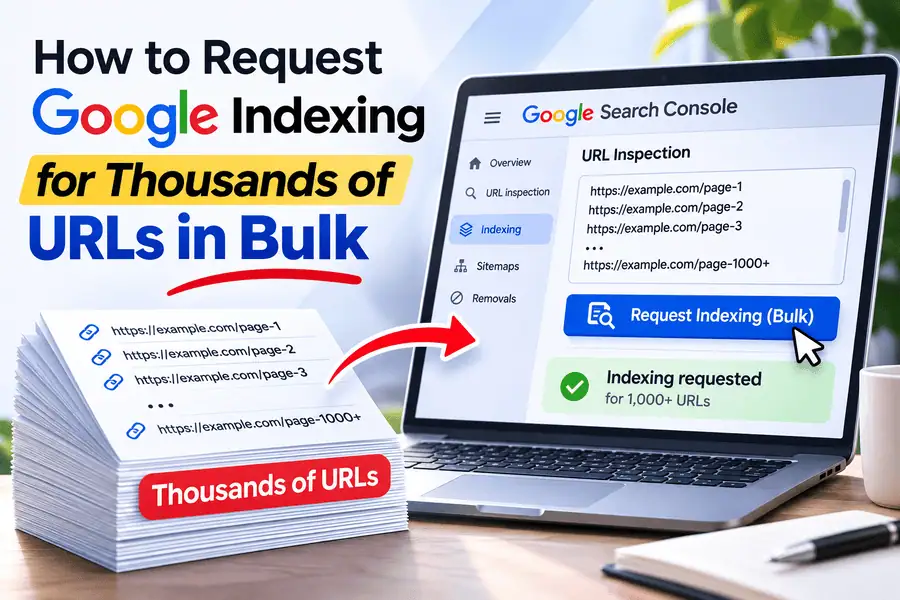
With BulkIndexCheckr, you can currently check up to 50,000 URLs in one batch.
URLs can be added manually or imported through CSV or TXT files, while project-based workflows can also work with sitemap URL lists.
Imagine you have URLs such as:
https://example.com/page-1
https://example.com/page-2
https://example.com/page-3
and thousands more.
Instead of opening and checking each one individually, you can process the complete list as a single audit and identify which pages deserve closer inspection.
That becomes especially useful for:
SEO agencies
Large ecommerce websites
Enterprise websites
Publishers
Programmatic SEO projects
Website migrations
Freelancers managing several clients
A bulk checker should not be viewed as a replacement for Google Search Console.
The two tools are useful at different stages.
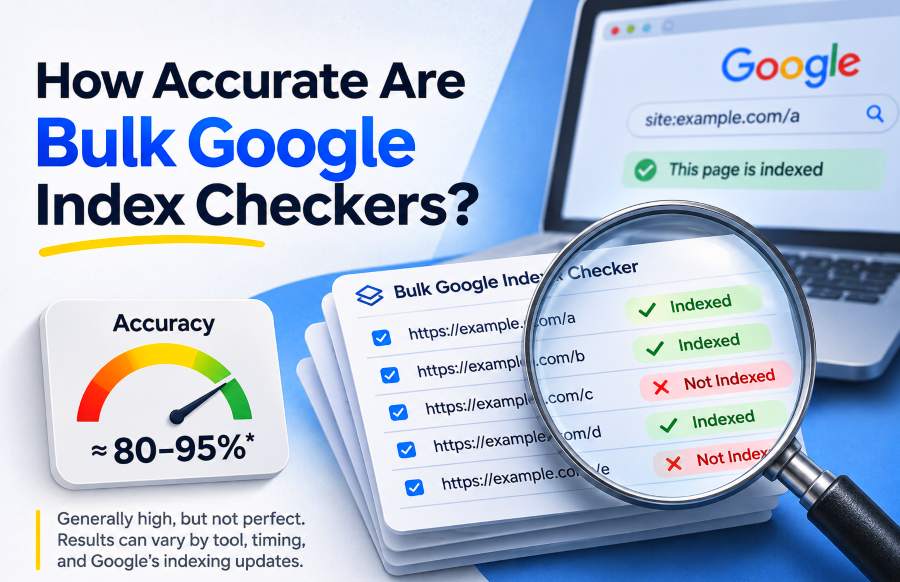
Bulk index checker = detection
Google Search Console = diagnosis
For example, suppose your bulk audit shows that 260 commercially important pages appear to be missing.
You do not necessarily need to run deep diagnostics on all 260 pages.
Start by inspecting a representative sample in Search Console and look for a repeating cause.
That gives you the speed of bulk checking without giving up the deeper first-party information available inside Search Console.
Don't Spend Your Audit Investigating Healthy URLs
A common mistake in large index audits is spending most of the time confirming that healthy URLs are still healthy.
Suppose you check 20,000 URLs and get these results:
18,750 indexed
1,250 apparently not indexed
Your most useful dataset is no longer the original 20,000 URLs.
It is the 1,250 exceptions.
Now you can start breaking those pages into meaningful groups.
For example:
610 product pages
Investigate template structure, canonicalization, and duplication.
85 blog posts
Review discovery, internal linking, and content quality.
32 category pages
Check crawlability and canonical signals.
448 filtered URLs
Determine whether they are intentionally excluded.
75 miscellaneous URLs
Review individually where necessary.
At first, the audit appeared to contain 1,250 indexing problems.
After classification, you might discover that the 448 filter URLs are correctly excluded.
You may also find that 600 of the 610 affected product pages belong to one template released during the same deployment.
Suddenly the real problem becomes much clearer.
You may not have 1,250 separate SEO issues.
You might have one technical issue affecting roughly 600 valuable pages.
That is one of the biggest advantages of checking index status in bulk:
Patterns become much easier to see.
Where Should Your Bulk URL List Come From?
The accuracy of your audit depends heavily on the URL list you start with.
There is no single URL source that is right for every situation.
XML Sitemap
Your XML sitemap is often one of the best places to start when you want to check pages that your website intentionally presents to Google.
For example:
https://example.com/sitemap.xml
Suppose your sitemap contains 8,400 canonical product URLs.
Checking that list allows you to ask a very clear question:
Which of the URLs we intentionally submitted to Google appear to be indexed?
That is usually much more useful than checking every technical URL your ecommerce platform can generate.
A sitemap-based audit keeps the focus on pages you actually care about.
Website Crawler
SEO crawlers such as Screaming Frog and Sitebulb can provide a broader inventory of URLs exposed through your internal site structure.
Crawler data becomes useful when you are investigating issues such as:
Pages missing from your sitemap
Internal parameter URLs
Incorrect canonical tags
Accidentally crawlable pages
Orphan-page patterns
Redirect chains
Think of the datasets this way:
Your crawler shows what the website exposes.
Google Search Console shows what Google knows.
Comparing the two can reveal pages that exist internally but are not being discovered or indexed as expected.
CMS or Database Export
For very large ecommerce stores, marketplaces, directories, or programmatic websites, the site's internal database may provide the cleanest expected URL list.
This lets you answer a slightly different question:
Which pages that should exist and should be indexable are missing from Google's visible index?
That can be more useful than relying on everything a crawler happens to discover.
Should You Check Thousands of site: Queries Manually?
For one or two URLs, Google's site: operator can still provide a useful public signal.
For example:
site:https://example.com/product/example
If Google returns the page, that is useful evidence.
Trying to repeat the same search manually across thousands of URLs, however, is not a realistic auditing method.
There are two major problems.
The first is obvious: it is slow.
The second is more important: Google's site: search results are not exhaustive.
A URL failing to appear in a site: query should therefore not automatically be classified as definitely unindexed.
For individual URL checks, our pillar guide on how to check if a page is indexed by Google explains this distinction in more detail.
For large-scale audits, think of site: visibility as one signal rather than a perfect database of Google's index.
What Should You Do With URLs That Are Not Indexed?
Do not immediately submit every missing URL for indexing.
First determine what those URLs actually are.
Some pages should never have been indexed in the first place.
Examples include:
Redirected URLs
Duplicate parameter pages
Intentionally
noindexpagesInternal search pages
Filter combinations
Alternate canonical URLs
Deleted pages returning 404 responses
A not-indexed result is therefore not automatically an SEO problem.
Your first question should be:
Should this page have its own independent Google index entry?
If the answer is yes, move to deeper diagnosis.
Suppose your bulk check shows that 400 articles are apparently missing.
Instead of manually troubleshooting all 400, inspect five or ten representative URLs from different dates, categories, or templates in Search Console.
Then look for a pattern.
If nearly every example shows:
Crawled – currently not indexed
you have learned something important about the group.
If most of them show:
Duplicate, Google chose different canonical
you are dealing with a completely different type of problem.
This is why the combination works so well:
Bulk checking identifies the affected population.
Representative URL Inspection helps identify the probable cause.
How Often Should You Run Bulk Index Checks?
There is no single monitoring schedule that makes sense for every website.
The right frequency depends on how often the site's URLs change and how damaging an unnoticed indexing issue would be.
A large publisher releasing hundreds of pages every day has very different monitoring needs from a local business website with ten static pages.
A practical framework is:
Daily Monitoring
Daily checks can make sense for:
News publishers
Large ecommerce catalogs
Active migrations
High-value programmatic websites
Sites with frequent deployments
Weekly Monitoring
Weekly monitoring is often enough for:
SEO agencies
Active blogs
SaaS websites
Content-focused businesses
Regularly updated commercial websites
Monthly Monitoring
Monthly checks may be sufficient for smaller or relatively stable websites that rarely add new pages.
BulkIndexCheckr provides scheduled index monitoring with daily, weekly, and monthly schedules.
The real value of scheduled monitoring is not simply that it saves you from clicking a button.
It gives you historical context.
A single audit might tell you:
940 pages are indexed today.
A recurring audit might tell you:
1,120 pages were indexed last week → 940 pages are indexed today
Now you have something much more meaningful to investigate:
180 URLs disappeared from the indexed set.
Without historical comparisons, you might never notice that change.
How Agencies Can Monitor Indexing Across Multiple Clients
SEO agencies face another layer of complexity because their URL inventories are spread across multiple websites and Search Console properties.
Opening Search Console and manually inspecting URLs across 20 or 30 client properties creates operational overhead before any real diagnosis even begins.
A cleaner agency workflow is to:
Create a separate project for each website or client.
Import the canonical URL inventory for each site.
Run scheduled bulk index checks.
Compare new results with previous checks.
Prioritize commercially important missing URLs.
Open Search Console only when deeper diagnosis is required.
Report meaningful changes rather than raw totals.
For verified properties, BulkIndexCheckr also provides a Google Search Console connection workflow that can help bring multiple properties into a more centralized indexing workflow.
This changes how you report indexing issues to clients.
A weak report might say:
1,732 URLs are not indexed.
That number sounds serious, but it does not explain whether anything is actually wrong.
A more useful report would say:
1,732 URLs currently fall outside the indexed set. Of those, 1,290 are expected filter or duplicate URLs, while 442 canonical commercial pages need further investigation.
Now the client can immediately see the difference between normal exclusions and actual SEO risk.
Which Bulk Indexing Method Should You Use?
There is no single method that is best for every situation.
Choose the tool according to the question you are trying to answer.
For a small website, manually checking important URLs alongside Search Console may be enough.
For a large verified website, start with Search Console's Page Indexing report.
If you need Google's first-party data programmatically, use the URL Inspection API.
If you need to screen thousands of URLs quickly, use a bulk index checker.
If one specific URL needs a detailed diagnosis, use Search Console's URL Inspection tool.
If you want to know what changed over time, use scheduled monitoring and compare historical results.
For a migration, combine bulk pre- and post-migration URL checks with Search Console investigation.
For an agency managing many websites, a project-based bulk workflow combined with GSC diagnosis is usually much more manageable than checking pages manually.
The important thing is not to expect one tool to perform every job equally well.
Google Search Console gives you the strongest first-party diagnostic information for websites you control.
The URL Inspection API makes some of that information programmable, although Google's 2,000-query-per-site daily quota limits how quickly very large sites can be processed.
Bulk checking solves a different problem: scale.
Used together, these methods provide a much stronger indexing workflow.
Frequently Asked Questions About Bulk Index Checking
Can Google Search Console Check Multiple URLs at Once?
Search Console's Page Indexing report provides site-level indexing information and groups URLs according to their indexing status.
However, detailed URL Inspection still works at the individual URL level.
The example URL lists inside the Page Indexing report are also limited to 1,000 examples for each status or issue.
Can I Check 10,000 URLs for Google Indexing?
Yes.
The best approach depends on whether you need Google's first-party Search Console information or whether your immediate goal is to quickly separate a large URL list into useful groups.
BulkIndexCheckr currently supports batches containing up to 50,000 URLs.
Google's URL Inspection API, by comparison, has a 2,000-query-per-site daily quota.
Is the Google URL Inspection API Unlimited?
No.
Google currently publishes a limit of 2,000 URL Inspection API requests per site per day and 600 requests per minute.
Separate project-level quotas also apply.
Does Every Unindexed URL Represent an SEO Problem?
No.
Google can correctly exclude:
Duplicate URLs
Redirects
noindexpagesAlternate canonicals
Filter URLs
Removed pages
The more useful question is whether the URL should have been indexed independently.
How Can I Find Pages That Lost Their Indexing?
Run repeated bulk checks and compare the URL-level results over time.
Historical comparisons make it possible to identify pages that changed from indexed to unindexed instead of looking only at today's total.
This is especially useful after:
Site migrations
Template updates
CMS changes
Major deployments
Internal-linking changes
Canonical updates
Should I Submit Every Unindexed Page for Indexing?
No.
First investigate why the URL is missing and whether it belongs in Google's index at all.
Submitting duplicate, redirected, intentionally excluded, or low-value URLs does not fix the underlying reason those pages are missing.
Turn a Bulk Index Check Into an Actual SEO Audit
A list of indexed and unindexed URLs is only useful if it changes what you do next.
Start with a clean inventory of the pages that matter.
Run the complete URL set through an appropriate bulk-checking workflow and separate the exceptions from the healthy pages.
Then group those exceptions according to characteristics such as:
Page type → directory → template → publishing period → indexing pattern
This is where the real investigation begins.
If 600 missing URLs belong to the same template, investigate the template.
If the decline began immediately after a migration, investigate migration-related changes.
If older pages remain indexed while a new content section does not, look at discovery, internal linking, rendering, and content patterns affecting that section.
Only after identifying those patterns should you spend time diagnosing individual URLs.
For websites you control, Google Search Console remains essential because it provides Google's own information about individual pages.
For very large URL inventories, however, the faster workflow is usually to identify the problem set first.
You can use BulkIndexCheckr to process up to 50,000 URLs in a batch, isolate the pages that deserve attention, and then investigate those pages instead of spending hours manually confirming URLs that are already healthy.
If you need help interpreting the result of one particular page, see our guide on how to check if a page is indexed by Google.
The scalable process is straightforward:
Build the URL list → check it in bulk → isolate the exceptions → find patterns → inspect representative URLs → fix the shared cause → monitor what changes
That is the point where bulk index checking stops being a spreadsheet exercise and becomes a useful technical SEO diagnostic system.