How Google Indexing Works: From Discovery to Search Results
Ethan Parker

Google indexing is not a single action that happens the moment you publish a page.
Before a URL can appear in Google Search, Google first has to discover it, crawl it, process the content, and often render the page. After that, Google's systems decide whether the page should be indexed and which URL should represent the content if duplicate versions exist.
Google describes Search as having three broad stages:
Crawling → Indexing → Serving search results
During indexing, Google analyzes the page, evaluates duplicate URLs, chooses a canonical version, and may store information about that page in its search index.
Only after that can the content become eligible to appear for relevant searches.
There is one important limitation to understand from the beginning:
Meeting Google's technical requirements does not guarantee that a page will be crawled, indexed, or shown in Search.
That is why indexing problems can be confusing.
Publishing a page does not automatically send it into Google's index. There are several stages where a URL can wait, fail, be consolidated into another URL, or simply not be selected for independent indexing.
If your goal is only to verify whether a particular page is already indexed, see our guide on how to check if a page is indexed by Google.
What Does Google Indexing Actually Mean?
Google indexing is the stage where Google analyzes information from a crawled page and decides whether that information should become part of its search index.
According to Google's Search Console documentation, an indexed page is one Googlebot has visited, analyzed for content and meaning, and stored in Google's index.
Once indexed, the page becomes eligible to appear in Google Search when Google's systems consider it relevant.
Three terms are often mixed together even though they describe very different things.
Crawled means Googlebot fetched the page.
Indexed means Google processed the page and stored information about the selected version in its search index.
Ranking means Google's search systems selected that indexed content for a particular query and decided where it should appear.
That means a page can be crawled without being indexed.
It can also be indexed without ranking for the keyword you expected.
Understanding that difference is one of the most important foundations of technical SEO.
What Are the Main Stages of Google Search?
Google officially describes Search as having three main stages.
Crawling
Google discovers URLs and downloads content using crawlers such as Googlebot.
Indexing
Google analyzes the page, its text, metadata, images, duplicate relationships, and canonical signals.
Serving
When someone searches, Google looks through its index and chooses results it considers relevant and useful.
Not every page successfully reaches every stage.
For technical SEO work, however, it is often easier to break Google's process into smaller checkpoints:
URL discovery → crawl/fetch → rendering → indexing and canonicalization → serving
This does not replace Google's official three-stage model.
It is simply a more practical way to troubleshoot where a URL stopped moving forward.
For example, two pages can both be missing from Google's index while having completely different problems.
One might show:
Discovered – currently not indexed
Another might show:
Crawled – currently not indexed
Neither URL is indexed, but Google reached a different stage with each one.
That difference should change how you investigate the problem.
How Does Google Discover a New Page?
Google cannot crawl a page until it first learns that the URL exists.
There is no universal registry where every new page on the internet appears automatically.
Google normally discovers new and updated URLs while crawling pages it already knows about and through URL lists provided by website owners.
Two of the most common discovery methods are:
Internal and external links
XML sitemaps
Suppose you publish:
https://example.com/blog/technical-seo-guide
If an existing category page links to that article using a normal crawlable link, Googlebot can discover the URL when it crawls that category page.
An XML sitemap gives Google another route.
If the new article appears inside:
https://example.com/sitemap.xml
Google now has another signal that the URL exists and may need to be crawled.
But this distinction is important:
Discovery is not indexing.
Adding a URL to your sitemap tells Google about the page.
It does not prove that Google has crawled it, and it certainly does not guarantee that the page has entered the index.
That is why a new page can appear in Search Console as:
Discovered – currently not indexed
Google knows the URL exists. It simply has not completed the next stages yet.
Does Internal Linking Affect Google Discovery?
Yes.
Internal links help Google discover URLs because Googlebot regularly finds pages by following links from pages it already knows.
That means internal linking is not only a ranking issue. It is also part of the crawling and discovery process.
Consider two new articles.
Article A is linked from:
The homepage
Its category page
Three related articles
Article B exists in the CMS and sitemap but has no normal internal links pointing to it.
Both pages technically exist.
But Google has far more natural discovery paths leading to Article A.
This matters even more on JavaScript-heavy websites.
Google can reliably extract URLs from normal HTML links built with <a> elements and href attributes.
If your website relies heavily on click handlers, application state, or JavaScript-only navigation instead of crawlable links, important URLs may be harder for Google to discover.
A strong internal-linking structure therefore serves two audiences at once.
It helps visitors navigate your website and gives search engines clear paths between important pages.
What Happens When Googlebot Crawls a Page?
After Google discovers a URL, it may schedule that page for crawling.
Googlebot then sends an HTTP request to your server.
Your server might respond with something like:
200 OK
301 Moved Permanently
404 Not Found
500 Internal Server Error
Those response codes help determine what happens next.
A normal page that should remain available usually needs an appropriate successful response.
A permanent redirect tells Google that the resource has moved.
A 404 tells Google that the requested resource no longer exists.
Server reliability matters as well.
Google's crawling systems are designed to avoid overwhelming websites, and repeated server problems can influence crawling behavior.
This gives us another important distinction:
A URL being discoverable does not mean Googlebot can successfully access it.
Google may know the URL exists while being unable to retrieve the content.
Possible causes include:
DNS problems
Server outages
Authentication requirements
robots.txt restrictions
Incorrect HTTP responses
Network failures
If Google cannot successfully fetch the page, the indexing process may stop before Google has enough information to evaluate the content.
What Does robots.txt Do During Google Indexing?
A robots.txt file mainly controls crawler access.
It is not the same thing as an indexing directive.
If robots.txt blocks Googlebot from fetching a URL, Google may not be able to retrieve the page's HTML, scripts, images, or other resources.
A noindex directive does something different.
It tells Google that a page it can access should not appear in the search index.
For example:
Disallow: /page/
and:
<meta name="robots" content="noindex">
are not interchangeable.
The first controls crawling.
The second controls indexing.
There is also an easy mistake to make when combining the two.
Google generally needs to crawl a page before it can see a page-level noindex directive.
If robots.txt blocks the URL completely, Google may never retrieve the HTML containing that instruction.
That is why using robots.txt as a replacement for noindex can create unexpected results.
A simple way to remember the distinction is:
robots.txt controls access.
noindex controls whether accessible content should remain in Search.
How Does Google Render JavaScript Before Indexing?
Rendering becomes important when a page depends on JavaScript to display its main content.
Google Search can execute JavaScript using Chromium so that it can process pages whose complete content is not available in the original HTML response.
A traditional server-rendered page might immediately return:
<h1>Running Shoes</h1>
<p>Compare our latest running shoes...</p>
Google can see the important content directly.
A client-rendered application may initially return little more than an application shell.
The product information, headings, navigation, and other content might appear only after JavaScript executes and an API request completes.
In that situation, rendering becomes an important part of Google's processing.
Google describes JavaScript processing through stages that include crawling, rendering, and indexing. Some pages may enter a rendering queue before Google can work with the fully rendered HTML.
That does not mean JavaScript websites are automatically bad for SEO.
Google has handled JavaScript for years.
The real question is whether the important elements of your page still work correctly when Google processes it.
That includes:
Main content
Internal links
Metadata
Canonical tags
HTTP status handling
Indexing directives
For example, a JavaScript application might return HTTP 200 for a deleted product and display “Product not found” only after JavaScript executes.
That can create a soft-404-style problem instead of returning a clean server-side 404 response.
On client-rendered websites, implementation details like these can directly affect how Google understands the page.
What Does Google Analyze During Indexing?
Indexing involves much more than simply saving the raw HTML Googlebot downloaded.
Google analyzes the content and important elements of the page to understand what it represents.
That can include:
Main textual content
Titles and metadata
Images
Videos
Language
Page relationships
Duplicate content
Canonical signals
This is also where a page can pass every basic technical test and still fail to receive its own indexed URL.
Imagine a page where:
The server returns HTTP 200.
Googlebot can crawl it.
JavaScript renders correctly.
No robots directive blocks indexing.
The page loads successfully.
Google can still decide not to keep that URL as an independent indexed page.
That is because technical accessibility makes indexing possible.
It does not force Google to index the content.
Google specifically states that indexing is not guaranteed.
Content quality, duplicate relationships, site design, indexing directives, and other signals can all affect what happens after crawling.
A useful distinction is:
Technical SEO establishes eligibility. Google still makes the indexing decision.
How Does Google Choose a Canonical URL?
Canonicalization becomes important when Google finds multiple URLs containing identical or very similar primary content.
Instead of storing each version separately, Google can group them together and choose one representative URL.
That representative version is the canonical URL.
For example:
https://example.com/shoes
https://example.com/shoes?sort=popular
https://example.com/shoes?utm_source=email
These URLs may all show nearly identical content.
Google may decide that maintaining three independent search entries adds little value.
Instead, it can cluster the URLs and select one canonical version.
Signals that can influence canonicalization include:
Redirects
HTTPS
XML sitemap inclusion
rel="canonical"Internal linking
Similarity between pages
A common misconception is that your canonical tag forces Google's choice.
It does not.
Your canonical declaration is an important signal, but Google can select a different URL if its systems believe another version is more appropriate.
That is why Search Console distinguishes between:
User-declared canonical
and:
Google-selected canonical
If those two URLs differ, Google has interpreted the duplicate relationship differently from you.
This also means that a page appearing to be “missing” from the index is not always an indexing failure.
Its content may already be represented under another canonical URL.
Does a noindex Tag Stop Google Indexing?
Yes, provided Googlebot can crawl the page and process the directive.
The most common version looks like this:
<meta name="robots" content="noindex">
Google also supports noindex through the X-Robots-Tag HTTP header.
That can be useful for non-HTML resources such as PDFs.
Once Googlebot sees a valid noindex directive, Google can remove that page from its search results.
This is why accidental noindex tags are one of the first things worth checking after launching a site.
Staging environments are often intentionally configured with:
noindex
That is usually sensible because you do not want development pages appearing in Search.
The problem begins when the same setting accidentally remains active after the production site launches.
Visitors may see a perfectly functional website while the HTML is still telling Google not to index it.
JavaScript implementations require additional care.
If the original HTML contains noindex, attempting to remove that directive later with JavaScript can create unreliable behavior because Google may decide not to render the page after seeing the original instruction.
For important indexable pages, the safest approach is to make sure the correct directive is present in the original response.
Why Doesn't Google Index Every Page It Crawls?
Because crawling and indexing are separate decisions.
Google does not promise that every successfully crawled page will enter the index.
This distinction becomes especially important on large websites.
A crawler may successfully reach thousands of URLs created by:
Faceted navigation
Tracking parameters
Sorting parameters
Duplicate templates
Thin variations
Alternate versions of the same page
That does not mean all of those URLs deserve separate search results.
Google also advises website owners not to expect 100% index coverage.
The more useful goal is not:
“Get every URL my website can generate indexed.”
A better goal is:
“Make the important, canonical, search-worthy pages easy for Google to discover, crawl, understand, and select.”
For a website generating 100,000 URLs, those two goals can lead to completely different technical SEO strategies.
What Happens After Google Indexes a Page?
Once a page enters Google's index, it becomes eligible to appear in search results.
That does not mean the page automatically ranks.
When someone searches, Google's serving systems evaluate indexed information and choose results that appear most relevant and useful for that particular query.
Many factors can influence that decision.
Context such as location, language, device, search intent, and competition can all matter.
For example, imagine a page about:
best coffee shops in Austin
The page may be fully indexed.
But if someone searches for:
coffee shops in Seattle
Google has no reason to show the Austin page simply because it exists in the index.
An indexed page can also rank so low that you never notice it during a normal manual search.
This is why indexing and ranking should be investigated separately.
If Search Console confirms that a page is indexed but it receives almost no impressions, your next investigation should usually focus on things such as:
Search intent
Relevance
Content quality
Internal linking
Competition
Ranking signals
Repeatedly requesting indexing is unlikely to solve a page that is already indexed.
A Five-Checkpoint Model for Diagnosing Google Indexing
For practical SEO work, it helps to think about indexing through five checkpoints.
1. Discovery
Does Google know the URL exists?
Look at:
Search Console
XML sitemaps
Internal links
Crawl paths
2. Fetch
Can Googlebot successfully access the URL?
Check:
HTTP response codes
Server availability
robots.txt
Authentication
URL Inspection
3. Render
Can Google process the final content?
Inspect:
JavaScript rendering
Rendered HTML
Important resources
Search Console Live Test
4. Index
Did Google choose and store the page, or another canonical version?
Look at:
Page Indexing report
URL Inspection
Canonical information
Indexing directives
5. Serve
Does Google show the indexed content for relevant searches?
Use:
Search Console Performance reports
Search-result checks
Impression and ranking data
Thinking this way helps prevent one of the most expensive SEO mistakes:
Fixing the wrong stage.
If Google has not discovered the page, rewriting the title tag is unlikely to solve the immediate problem.
If Google crawled the URL but selected another canonical, repeatedly requesting indexing does not address the duplicate relationship.
If the page is already indexed but receives no impressions, you are no longer dealing with a basic indexing problem.
The fix should match the stage where the evidence shows something went wrong.
What Do “Discovered” and “Crawled” Indexing Statuses Mean?
Search Console makes some of these stages visible through its Page Indexing report.
Two common statuses are particularly useful.
Discovered – Currently Not Indexed
Google knows that the URL exists but has not completed crawling it.
That usually shifts your investigation toward:
Discovery
Internal links
Crawl scheduling
Site size
Server conditions
Crawl paths
Crawled – Currently Not Indexed
Googlebot has already fetched the URL, but the page was not added to the index at that time.
That tells you something important:
The fetching stage already happened.
Your investigation should therefore move toward areas such as:
Content uniqueness
Canonical relationships
Rendering
Indexing directives
Template quality
Site-wide patterns
These two statuses can look similar because neither page appears in Google's index.
But they describe completely different points in the process.
A Search Console status should therefore be treated as evidence about where the page stopped progressing, not just as an error message.
How Do XML Sitemaps Fit Into Google Indexing?
An XML sitemap is primarily a discovery tool.
It can be especially useful for:
Large websites
New websites
Sites with frequently changing content
Pages that are difficult to discover through normal crawling
A sitemap tells Google about pages and other important files on your site.
But submitting a sitemap does not bypass Google's normal indexing process.
The sequence still looks like this:
Sitemap exposes URL → Google discovers URL → Google may crawl it → Google processes it → Google decides whether to index it
That means a sitemap is a discovery signal.
It is not an indexing guarantee.
This distinction matters because sitemap submission is sometimes described as though it pushes URLs directly into Google's index.
It does not.
A sitemap containing 20,000 URLs may help Google discover those pages, but Google still evaluates each URL through its normal crawling and indexing systems.
Sitemap quality matters as well.
If your sitemap contains large numbers of:
Redirects
Duplicate URLs
noindexpagesNoncanonical URLs
Broken pages
you are giving Google a less useful representation of the pages you actually want considered for Search.
A clean sitemap should focus primarily on important canonical URLs.
How Can You Tell Whether Google Finished Indexing a Page?
For a website you control, the most direct method is Google Search Console's URL Inspection tool.
It can show information such as:
Whether the URL is indexed
When Google last crawled it
Whether indexing was allowed
Which canonical URL Google selected
Our detailed guide on how to check if a page is indexed by Google explains the difference between URL Inspection, Live Test, canonical information, and site: searches.
One distinction is especially important.
The normal URL Inspection report tells you what Google already knows about the page.
Test Live URL checks the version that Google can access now.
A successful Live Test does not mean the page has entered Google's index.
It only shows that the URL is currently accessible and can be processed under the conditions the test evaluates.
In simple terms:
Live and indexable ≠ indexed
That is another reason to think of indexing as a process instead of a simple yes-or-no technical switch.
How Does Google Indexing Work on Large Websites?
The underlying Google process remains the same, but the way you manage it changes dramatically as a website grows.
A website with 100 pages can reasonably investigate URLs one by one.
A website with 500,000 crawlable URLs cannot.
Large websites are also more likely to face issues involving:
Faceted navigation
URL parameters
Duplicate content
Crawl paths
Server resources
Inconsistent canonicals
Large volumes of low-value URLs
Programmatically generated pages
At that point, technical SEO needs to move from page-by-page investigation toward pattern detection.
Instead of starting with:
Why isn't URL 37,418 indexed?
start with:
Is the problem concentrated in one template, directory, sitemap, content type, or publication period?
That question is much more likely to lead you toward a shared root cause.
Search Console's Page Indexing report can help reveal site-level patterns.
For a more scalable workflow, see our guide on how to check indexed pages in bulk.
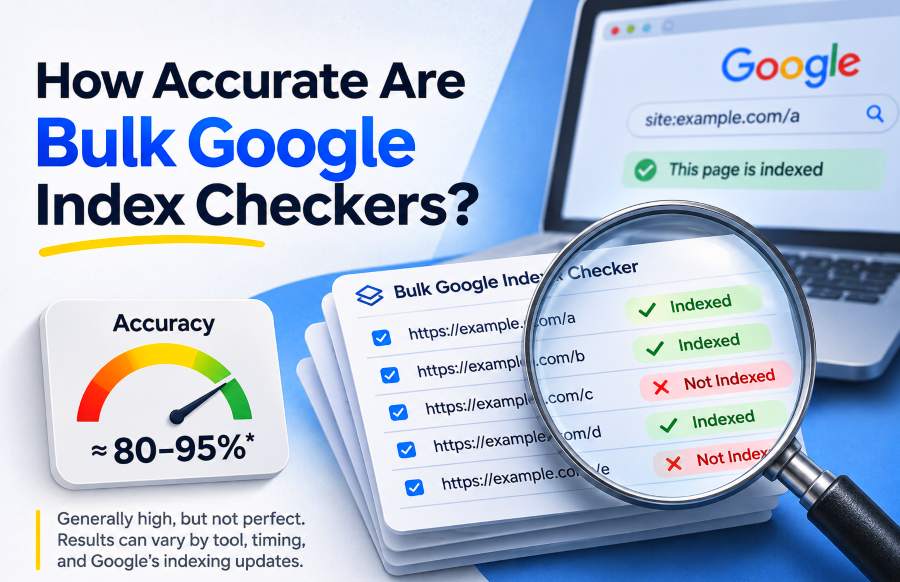
If you need to screen a very large URL inventory before investigating individual pages, BulkIndexCheckr can help identify which groups of URLs deserve closer attention.
The important distinction is:
A bulk checker tells you where to investigate.
Google's crawling and indexing systems decide whether pages actually enter Search.
Does Requesting Indexing Skip Google's Normal Process?
No.
Requesting indexing tells Google that you would like a URL to be crawled or reconsidered.
It does not send the URL directly into the index.
After you submit the request:
Google still has to access the page.
The page still has to be processed.
Content can still be evaluated.
Canonicalization can still occur.
Google can still decide not to index the URL.
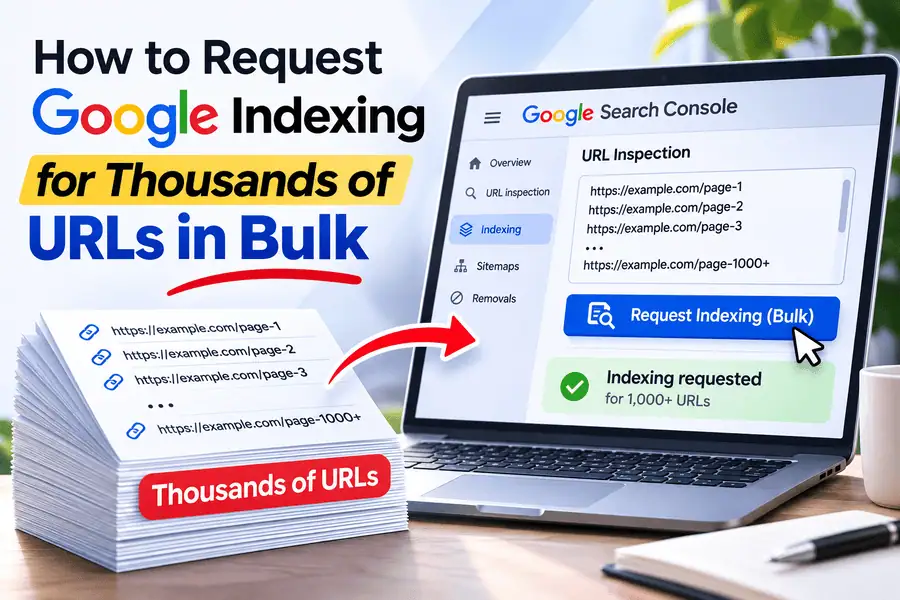
Google also recommends using XML sitemaps when you need to tell it about larger numbers of new or updated pages instead of manually requesting indexing for every URL.
This is why repeated submission is not a replacement for diagnosis.
If a page continues to show:
Crawled – currently not indexed
requesting indexing again does not necessarily address the reason Google did not select the page the first time.
Fix the cause before focusing on resubmission.
How Long Does Google Indexing Take?
There is no universal indexing timeline.
Google does not promise that every page will be indexed within 24 hours, 48 hours, seven days, or any other fixed period.
The time required depends on the URL, the website, crawling behavior, and Google's processing decisions.
Rather than focusing only on elapsed time, track what stage the URL has actually reached.
One new page might follow:
Unknown → Discovered → Crawled → Indexed
Another could follow:
Discovered → Crawled → Duplicate, Google chose different canonical
A third might remain at:
Crawled → Currently not indexed
Those situations require different responses even if all three pages were published on the same day.
The question:
“How many days has it been?”
is usually less useful than:
“What is the latest stage Google reached?”
Can Google Reindex an Existing Page?
Yes.
Google regularly revisits known pages and can update the information stored in its index when content changes.
The frequency is not identical for every page.
A URL that changes often may be revisited differently from a page that has remained unchanged for years.
Changes Google may eventually need to process include:
Updated title tags
Rewritten content
Product availability changes
New redirects
Canonical changes
Structured-data updates
Removed sections
Google normally needs to recrawl and process the page before those changes can be fully reflected in its index.
That explains why Search Console's indexed information may temporarily differ from the live website immediately after a deployment.
Your website may already show the new version while Google's index still reflects an older crawl.
Can a Page Leave Google's Index After Being Indexed?
Yes.
Indexing is not permanent.
A page that was previously indexed can later:
Become unavailable
Receive a
noindexdirectiveRedirect elsewhere
Be merged into another canonical
Be deleted
Stop being represented independently
That does not necessarily mean something has gone wrong.
For example, imagine that you merge three weak articles into one much stronger guide and permanently redirect the old URLs.
Google may eventually consolidate those pages into the new destination.
Your total indexed URL count drops.
But that decline may actually represent a healthier site structure rather than an SEO problem.
This is why index coverage should be compared against:
The URLs you actually want indexed
not:
The maximum number of URLs your website can generate
Historical monitoring becomes especially valuable here.
If 2,000 important product pages disappear from the index immediately after a deployment, that deserves attention.
If 2,000 low-value parameter URLs disappear after a canonical cleanup, the same numerical decline could be a positive result.
The number alone does not tell you whether something is wrong.
Context does.
Common Misunderstandings About Google Indexing
Several common assumptions lead website owners toward the wrong solution.
“Publishing a page means Google indexed it”
Publishing only makes the page available.
Google still has to discover, crawl, process, and select it.
“Submitting a sitemap guarantees indexing”
A sitemap helps Google discover URLs.
It does not guarantee that Google will crawl or index every submitted page.
“If Google crawled the page, it must be indexed”
Not true.
Google can crawl a page and still decide not to index it independently.
“Passing Test Live URL means the page is indexed”
A Live Test checks the current accessible version.
It does not prove the URL is already part of Google's index.
“robots.txt and noindex do the same thing”
They do not.
robots.txt controls crawler access.
noindex controls whether crawled content should appear in Search.
“My canonical tag forces Google to use my preferred URL”
A canonical tag is a signal.
Google can still choose another representative URL.
“If a page is indexed, it should rank”
Indexing only makes a page eligible to appear.
Ranking and serving happen afterward.
“Every valid URL should be indexed”
Google does not guarantee that every known URL will receive its own place in the index.
These are not minor terminology differences.
Each misunderstanding can lead to an entirely different—and often ineffective—technical response.
If you mistake a ranking problem for an indexing problem, you may spend days repeatedly requesting indexing for a page Google already has.
If you mistake canonicalization for a discovery problem, you may keep adding internal links without addressing the duplicate relationship.
Good technical SEO starts by identifying the stage supported by the evidence.
Frequently Asked Questions About Google Indexing
How does Google find new websites and pages?
Google commonly discovers new URLs by following links from pages it already knows and by processing resources such as XML sitemaps.
Once Google discovers the URL, it can consider the page for crawling.
Discovery does not mean the page will immediately be crawled or indexed.
What is the difference between crawling and indexing?
Crawling is when Googlebot fetches content from a URL.
Indexing happens afterward, when Google analyzes the page and may store information about the selected canonical version in its search index.
A crawled page is not necessarily an indexed page.
Does Google render JavaScript before indexing?
Google can render JavaScript using Chromium.
For pages where important content depends on JavaScript, rendering can help Google see the final version of the page before further processing.
The important thing is to ensure that essential content, links, metadata, canonical information, and status handling work correctly when Google processes the page.
Does a sitemap make Google index a page?
No.
A sitemap helps Google discover URLs.
The page still has to move through Google's normal crawling, processing, and indexing systems.
Can Google index a page that is not in my sitemap?
Yes.
Google can discover URLs through internal links, external links, and other mechanisms.
A sitemap is helpful, but it is not a strict requirement for every page Google indexes.
Why did Google crawl my page but not index it?
There is no single universal cause.
Possible areas to investigate include:
Canonicalization
Duplicate content
Content usefulness
Indexing directives
Rendering
Site-wide templates
Other quality or technical signals
Search Console's Page Indexing report and URL Inspection tool should be your starting points for understanding the specific case.
Does being indexed mean my page will rank?
No.
Indexing makes the page eligible to appear in Search.
Ranking happens later when Google's systems evaluate indexed pages against a particular query.
Use Google's Indexing Pipeline to Diagnose the Right Problem
The easiest way to understand Google indexing is to stop thinking of it as a simple switch between:
Not indexed
and:
Indexed
Instead, think of every URL moving through a series of checkpoints.
Google first has to discover the URL.
Googlebot has to be able to fetch it.
Any important JavaScript content has to be processable.
Google then evaluates the page, its content, duplicate relationships, canonical signals, and indexing directives.
Only after those stages can the selected information become eligible to appear in Search.
When something goes wrong, find the last checkpoint the page successfully reached.
For one URL, start by checking whether the page is indexed and reviewing its exact Search Console status.
For hundreds or thousands of URLs, use the process described in How to Check Indexed Pages in Bulk to identify patterns before investigating pages individually.
Google's own documentation on how Search works should remain your primary technical reference when you need deeper details about crawling, indexing, and serving.
The core distinction is straightforward:
Discovery tells Google the URL exists. Crawling fetches the content. Rendering helps Google process JavaScript-dependent pages. Indexing evaluates and potentially stores the content. Canonicalization determines which URL represents duplicates. Serving determines whether that indexed information appears for a particular search.
Once you know which stage failed, it becomes much easier to decide what actually needs fixing.